Skip to content
All workWork by our founder, before Sublom

Case 01 / 08Product & web · Fintech

Making quant strategies legible to people who aren’t quants.

Client
Kvants
Scope
Web app · landing · emails
Sector
Fintech · quant investing
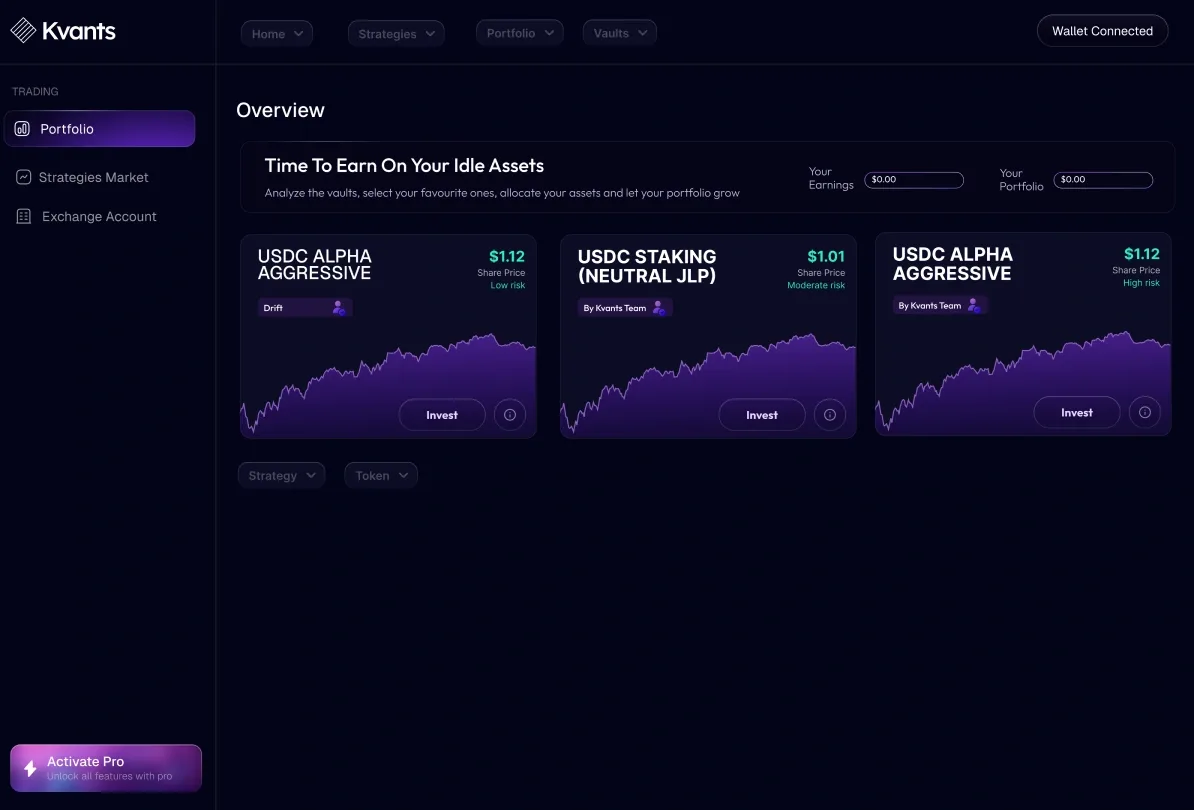
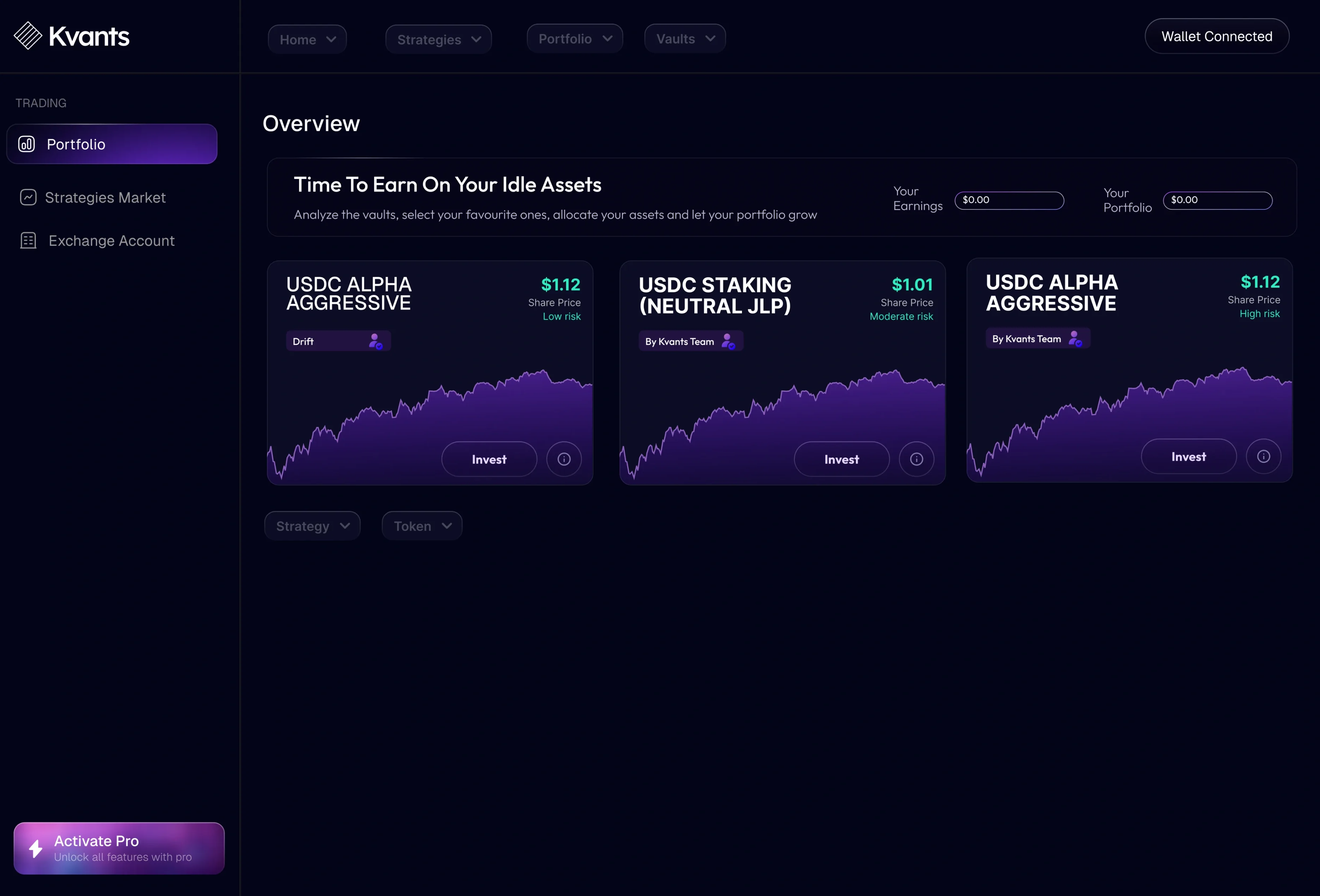
The Kvants overview after sign-in: “Time to earn on your idle assets” with three USDC strategy vaults, each with its share price, risk and chart.
OverviewThe first screen after sign-in: idle money on one side, three vaults with their share price and risk on the other.

01Context

Kvants curates quantitative trading strategies — from independent teams and in-house portfolio managers — and lets everyday investors put money into them: through their own exchange account over an API, or into on-chain vaults. Holding the $KVAI token unlocks higher tiers and a vote in the DAO.

The work covers the whole surface: the landing page, the web app from sign-up to withdrawal, the payment and plan flows, every modal and error, and the transactional emails.

02Problem

Hedge-fund maths, retail nerves.

“Kvants is bringing automated, AI-driven quantitative strategies to everyday investors.”

Kvants, on its landing page

The strategies are described in share ratios, drawdowns and delta-neutral hedges. The people putting money in want to know two things: is it safe, and is it growing. Every screen had to answer both — without hiding the maths from the ones who came for it.

03Constraints

Working within constraints

Money
Real deposits, a one-day redemption period, fees on profit
Custody
Exchange accounts over API keys — trading only, no withdrawals
Entry
Email code, Google, Apple or a crypto wallet
Payment
Card through Stripe, or staking $KVAI
Exchanges
Binance, Kucoin and OKX, each set up differently
Failure
Payments, connections and codes that fail for reasons the user didn’t cause

04In the file

Everything a user touches, from the landing page to the last error

  • Landing page
  • Web app
  • Onboarding & sign-in
  • Vaults & strategies
  • Portfolio
  • Plans & payments
  • Modals & error states
  • Email templates

05Decisions

Decisions that shaped the product

Numbers that answer one question each.

Why
A vault can show twenty metrics; someone deciding whether to deposit reads three.
Result
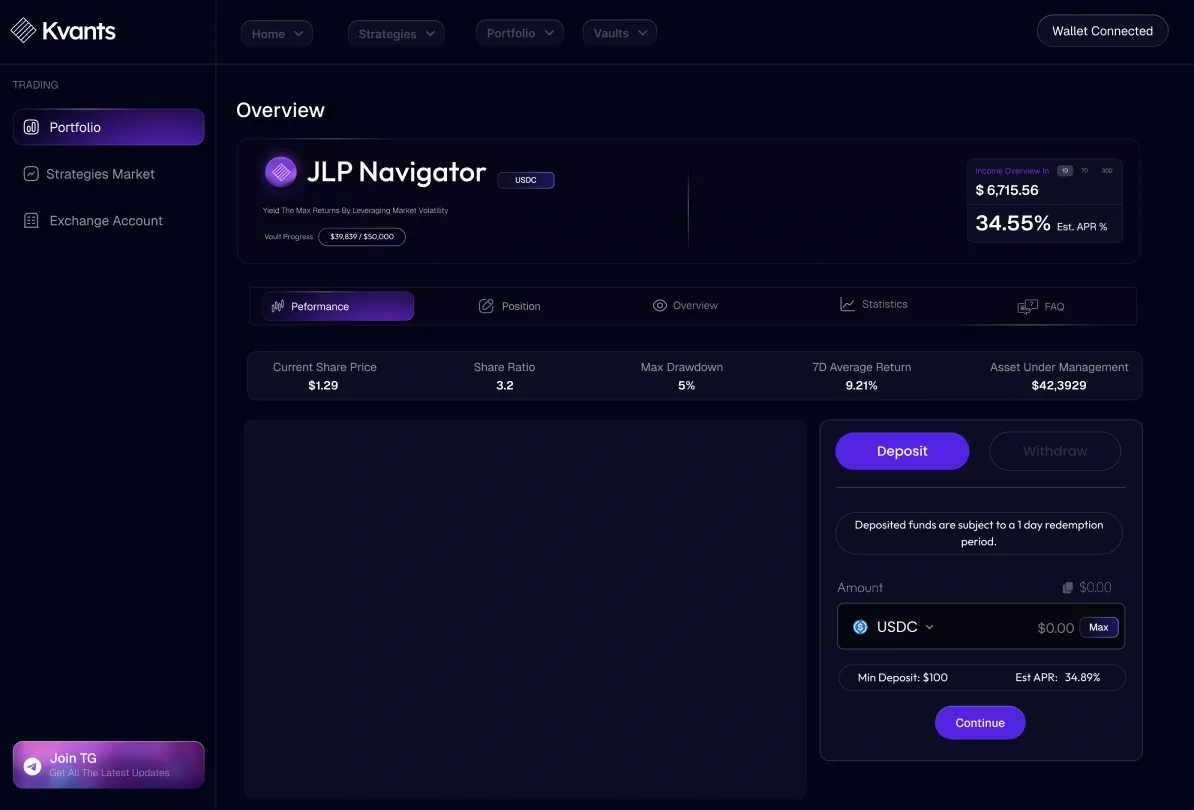
The vault opens on five figures in one row — share price, share ratio, max drawdown, seven-day average return, assets under management. Position, overview, statistics and FAQ sit one tab away.
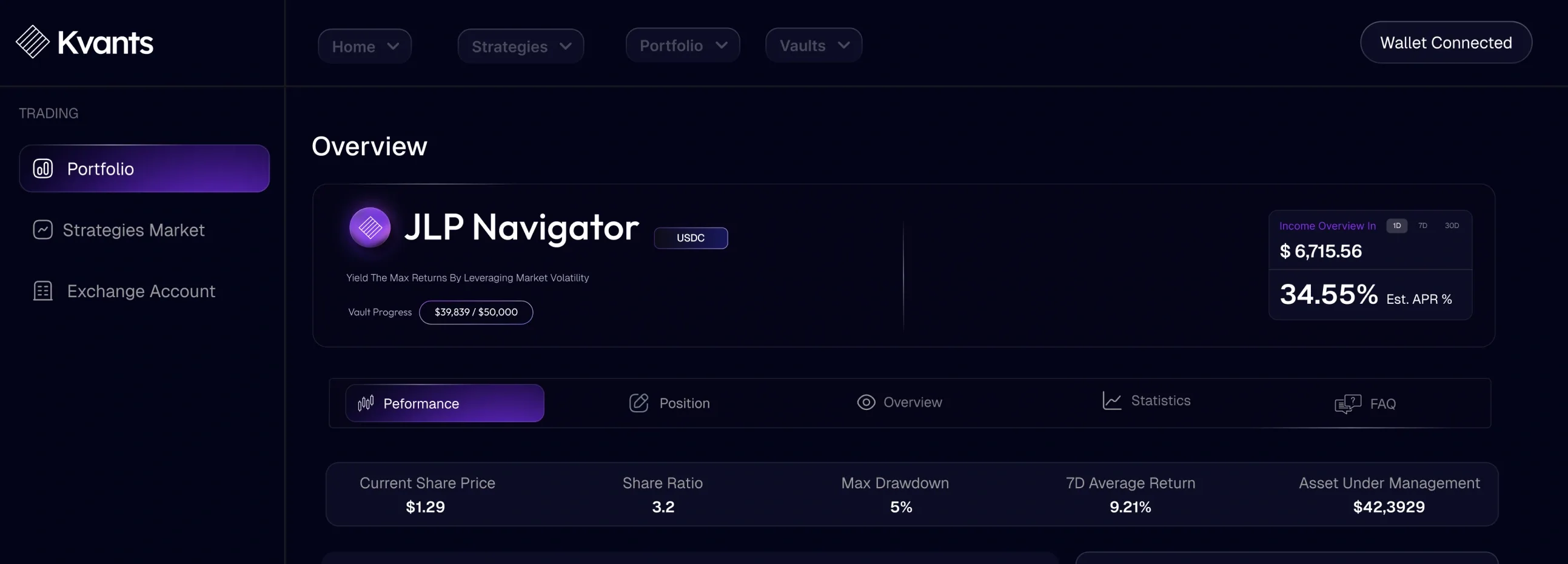
The JLP Navigator vault header: name, APR and income, the Performance, Position, Overview, Statistics and FAQ tabs, and five figures in one row.

Safety said before money is asked for.

Why
Handing over exchange API keys is where trust breaks.
Result
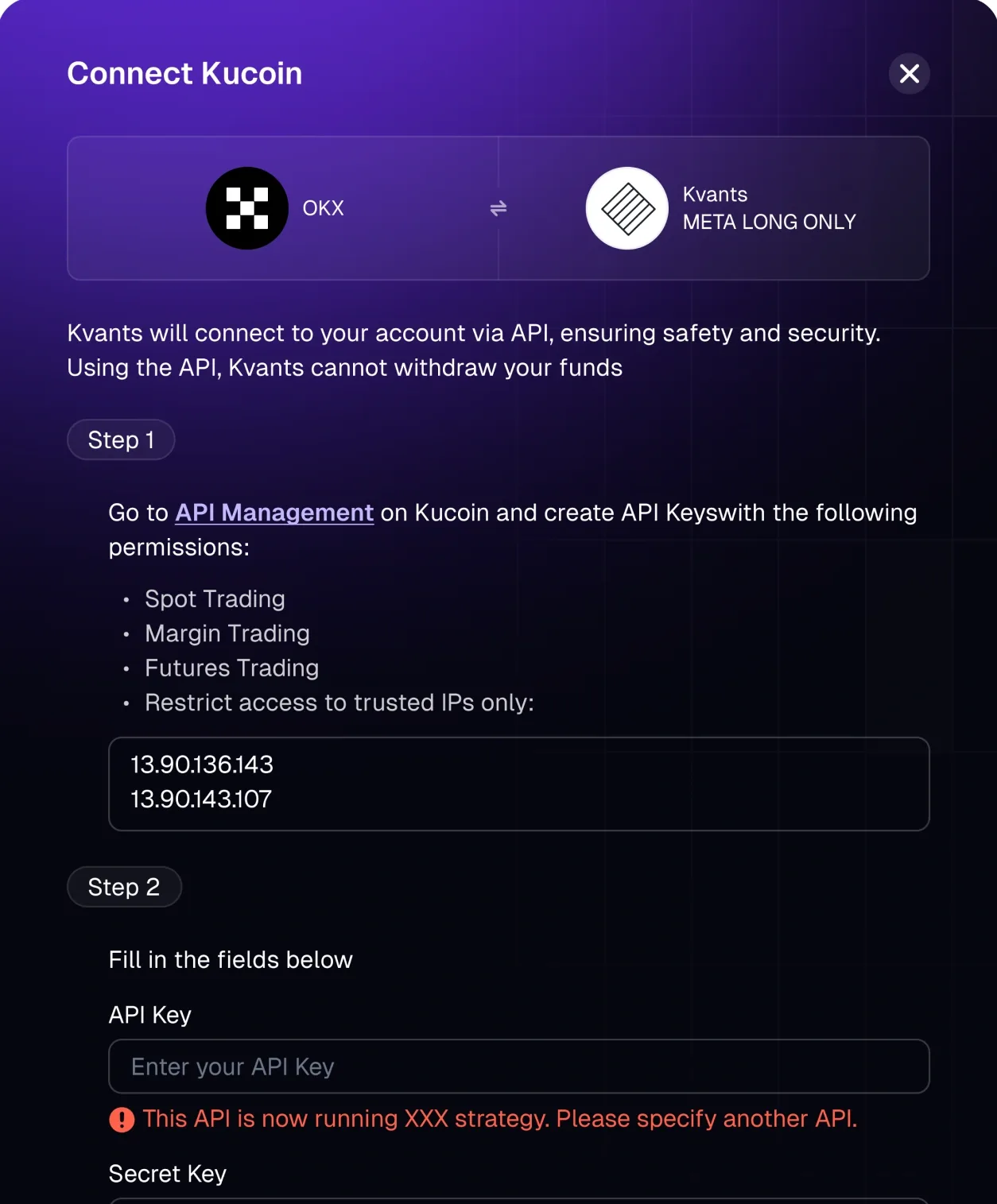
The connect flow says in plain words that Kvants trades through the API and cannot withdraw funds, lists the exact permissions to switch on, and suggests limiting access to trusted IPs.
The Connect Kucoin modal: Kvants connects over the API and cannot withdraw funds; step 1 lists the permissions to enable and the IPs to trust, step 2 asks for the keys.

The lock-up stated where the money moves.

Why
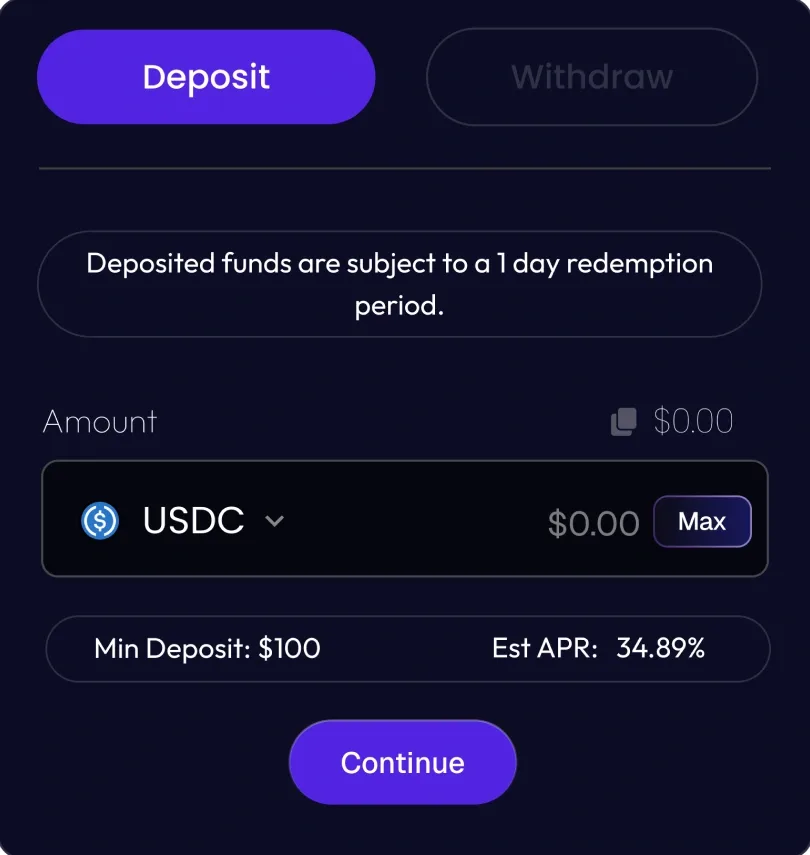
A one-day redemption period is fine. Finding out after depositing is not.
Result
The deposit panel carries the notice above the amount — next to the minimum deposit and the estimated APR — and the withdraw side explains when funds become available.
The deposit panel: “Deposited funds are subject to a 1 day redemption period” above the USDC amount, the $100 minimum deposit and the estimated APR.
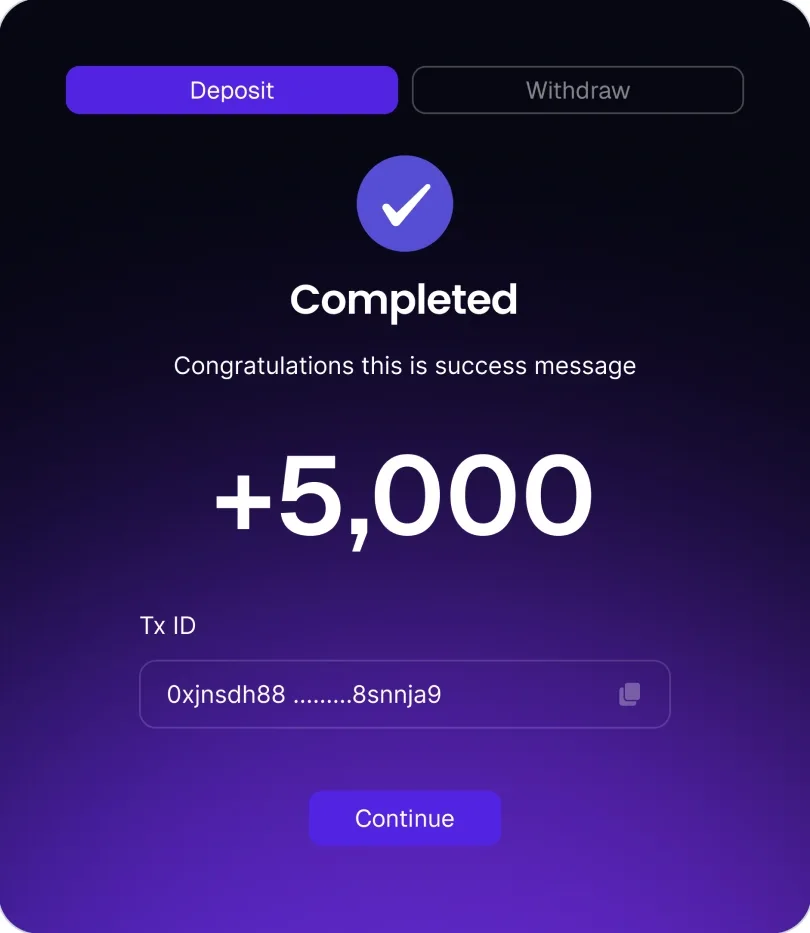
A completed deposit: +5,000 with its transaction ID and a Continue button.
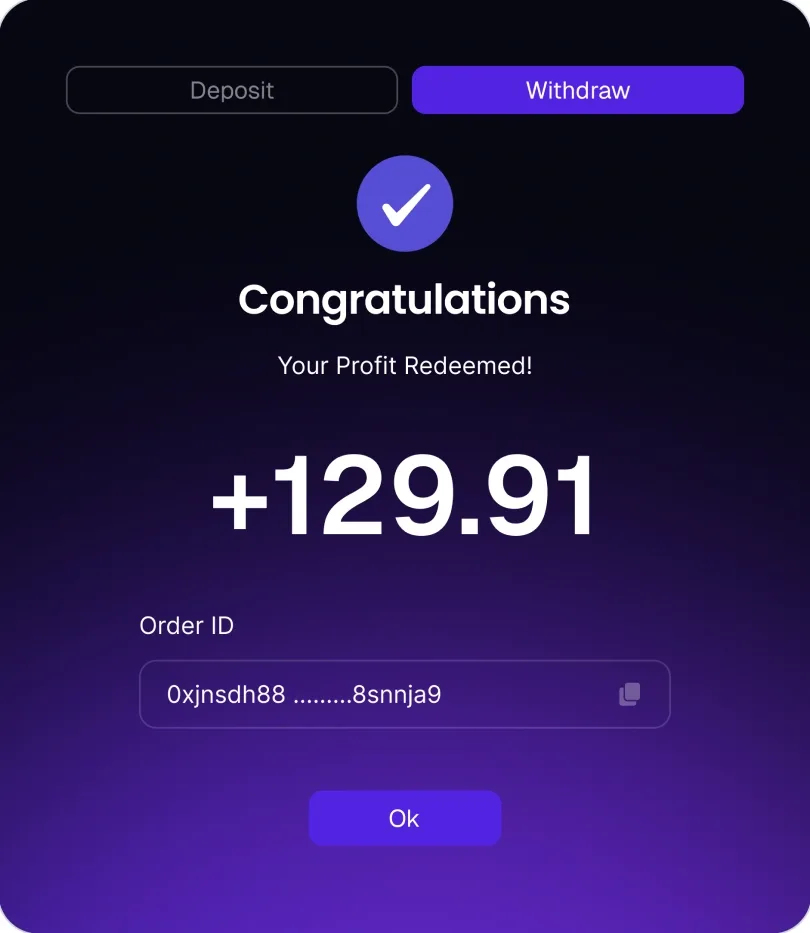
A completed withdrawal: “Your profit redeemed”, +129.91 with its order ID and an OK button.

Every failure has a way back.

Why
Payments, wallets and verification codes fail in ways the user didn’t cause.
Result
Each error says what happened and offers the next step — retry, reconnect, resend the code, return to the dashboard.
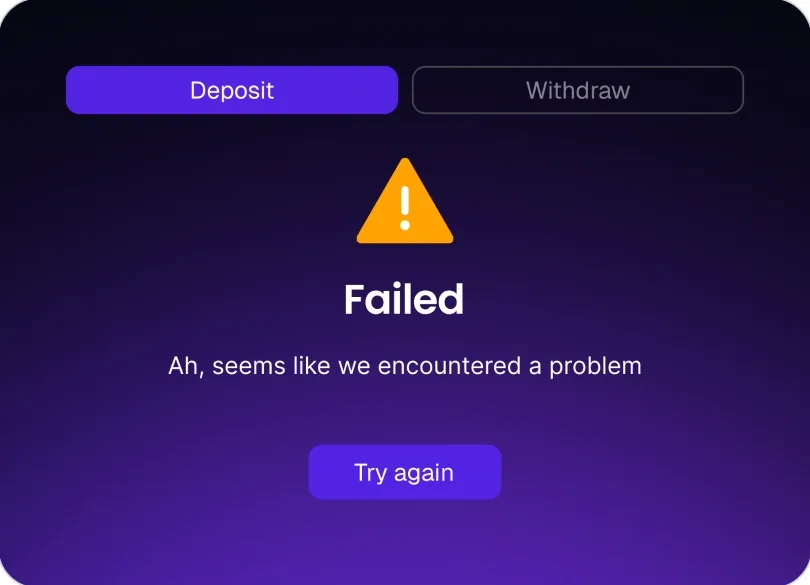
A failed deposit: a warning sign, “Ah, seems like we encountered a problem” and Try again.
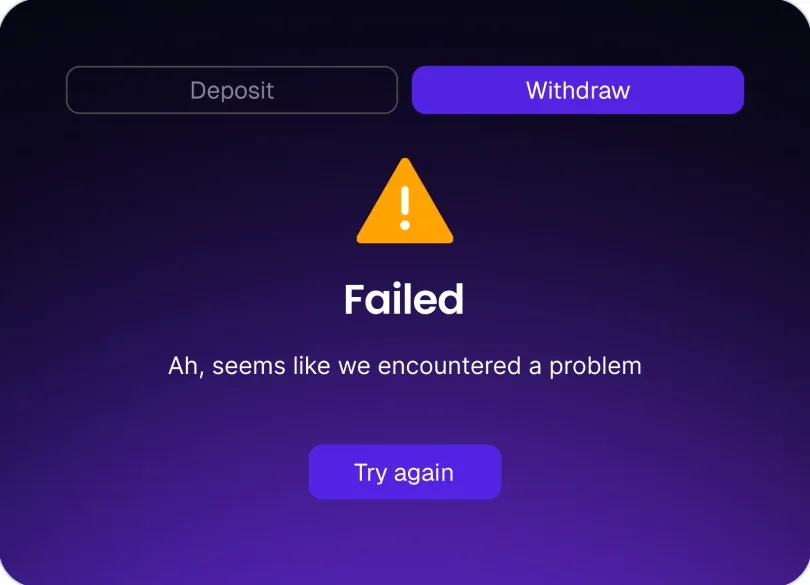
A failed withdrawal, in the same shape: the warning, one line of explanation and Try again.
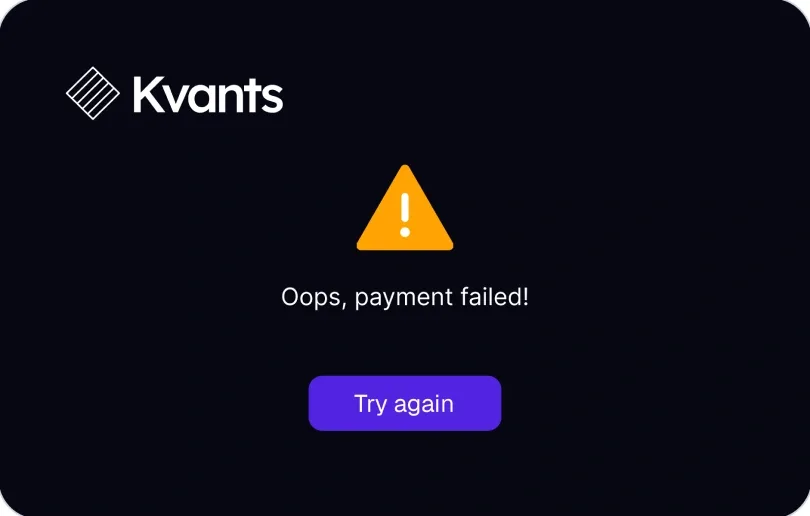
A failed payment: “Oops, payment failed!” and Try again.

Two ways to pay, one plan.

Why
Some people pay by card; others already hold $KVAI.
Result
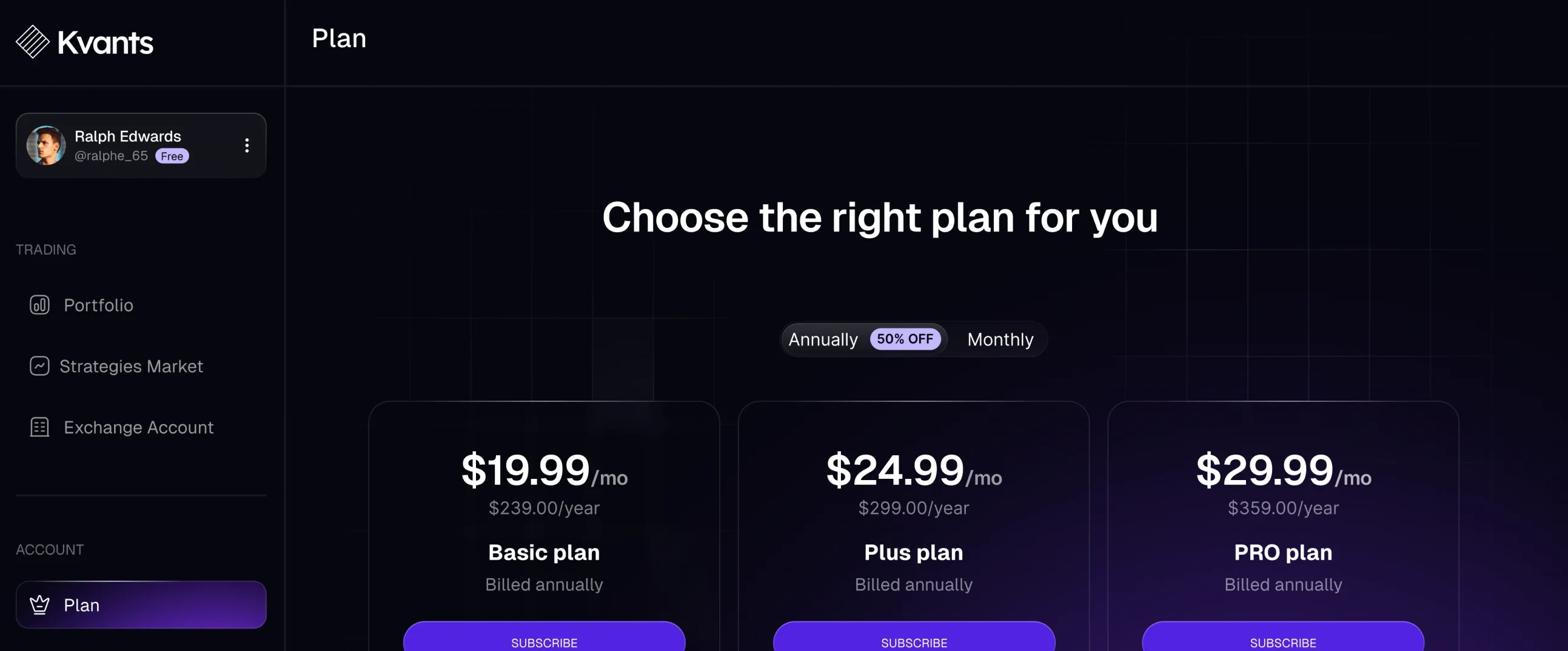
Plans treat card and staking as equals, and when the stake is too small the payment modal says so and offers to add funds instead of failing.
“Choose the right plan for you”: Basic, Plus and Pro plans at $19.99, $24.99 and $29.99 a month, with a monthly or annual switch.

06System

One dark kit for money on screen

Night blue, a violet gradient for action and teal for gains: the palette never has to compete with the charts it frames.

Mark

The Kvants logo, white on the app’s night blue.

The mark as it sits in the app bar, shown at 1.6×.

Typeface

  • Geist — the whole product
  • SemiBold for figures and titles
  • Regular for everything read

Palette · sampled from the screens

  • #FFFFFF
  • #0C0C24
  • #989898
  • #00BFB3
  • #D9D9D9
  • #2FEDBF

Solid fills, sampled by frequency from the overview and vault screens. The violet of buttons and the active tab is a gradient, so it isn’t in this row.

07Screens

From the first code to the first withdrawal

The core path, in the order someone meets it.

  • Kvants overview: idle money and three strategy vaults with their charts.

    Overview

    Idle money and three vaults, side by side.

  • The JLP Navigator vault on its Performance tab: five figures in a row and the deposit panel beside them.

    Vault

    Five figures first, the deposit panel beside them.

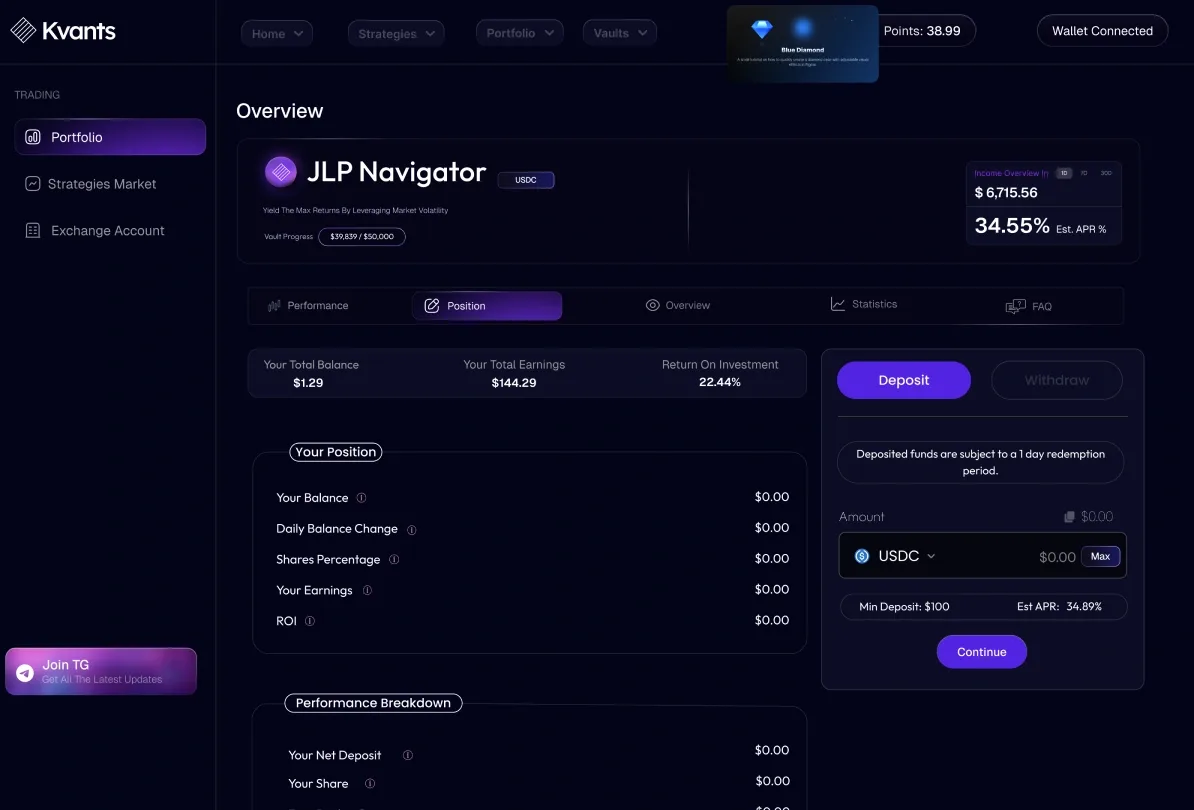
  • The Position tab: total balance, earnings and return on investment, the position and its performance breakdown.

    Position

    What you hold in the vault, and how it moved.

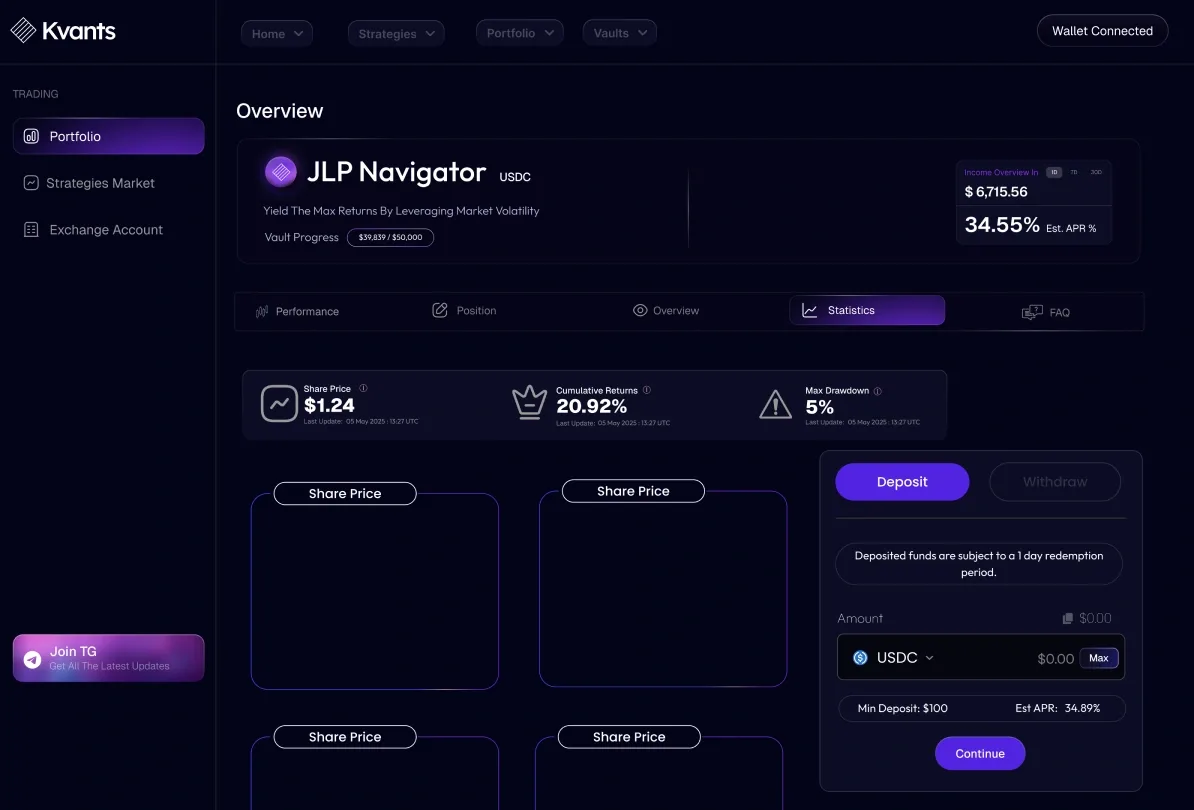
  • The Statistics tab: share price, cumulative returns and max drawdown above the share price charts.

    Statistics

    Returns and drawdown over time, for the ones who came for the maths.

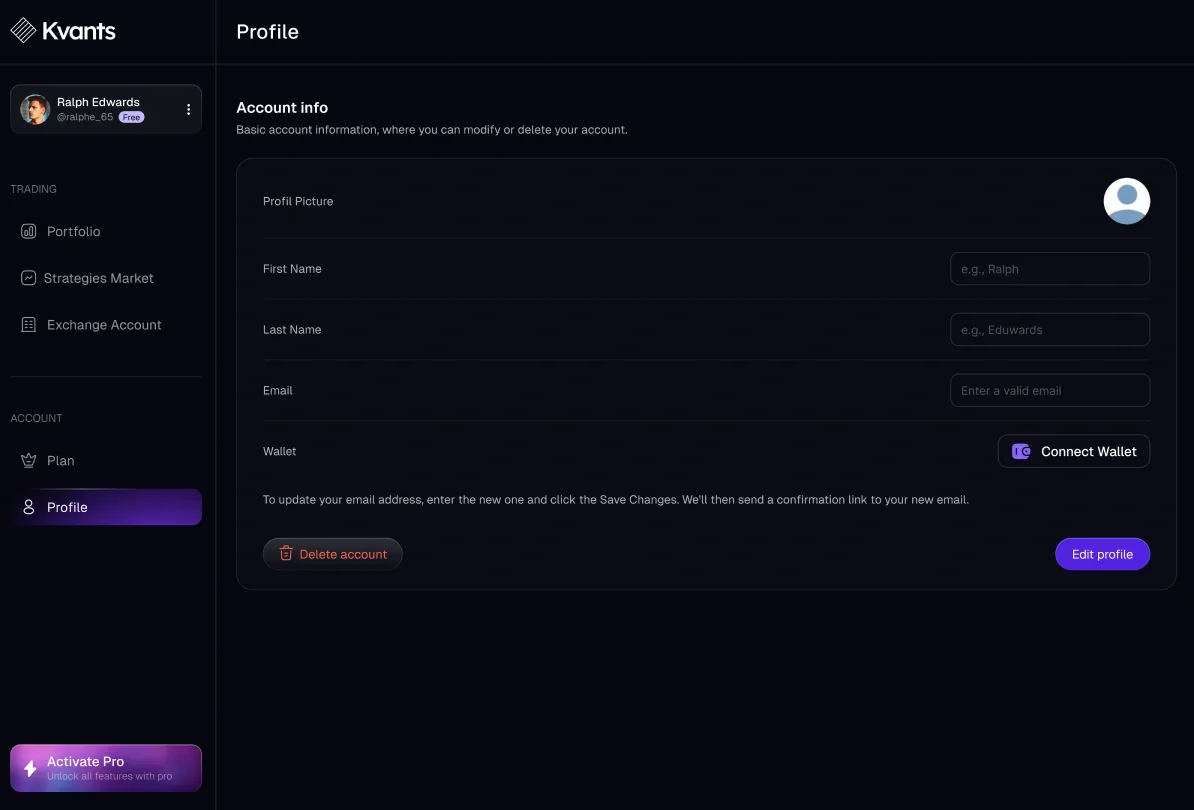
  • The Profile page: account info — picture, name, email and a wallet to connect — with Delete account and Edit profile.

    Profile

    Account details and a wallet to connect; the plan sits one item above.

08Craft

The details that carry it

Three places where the design does quiet work.

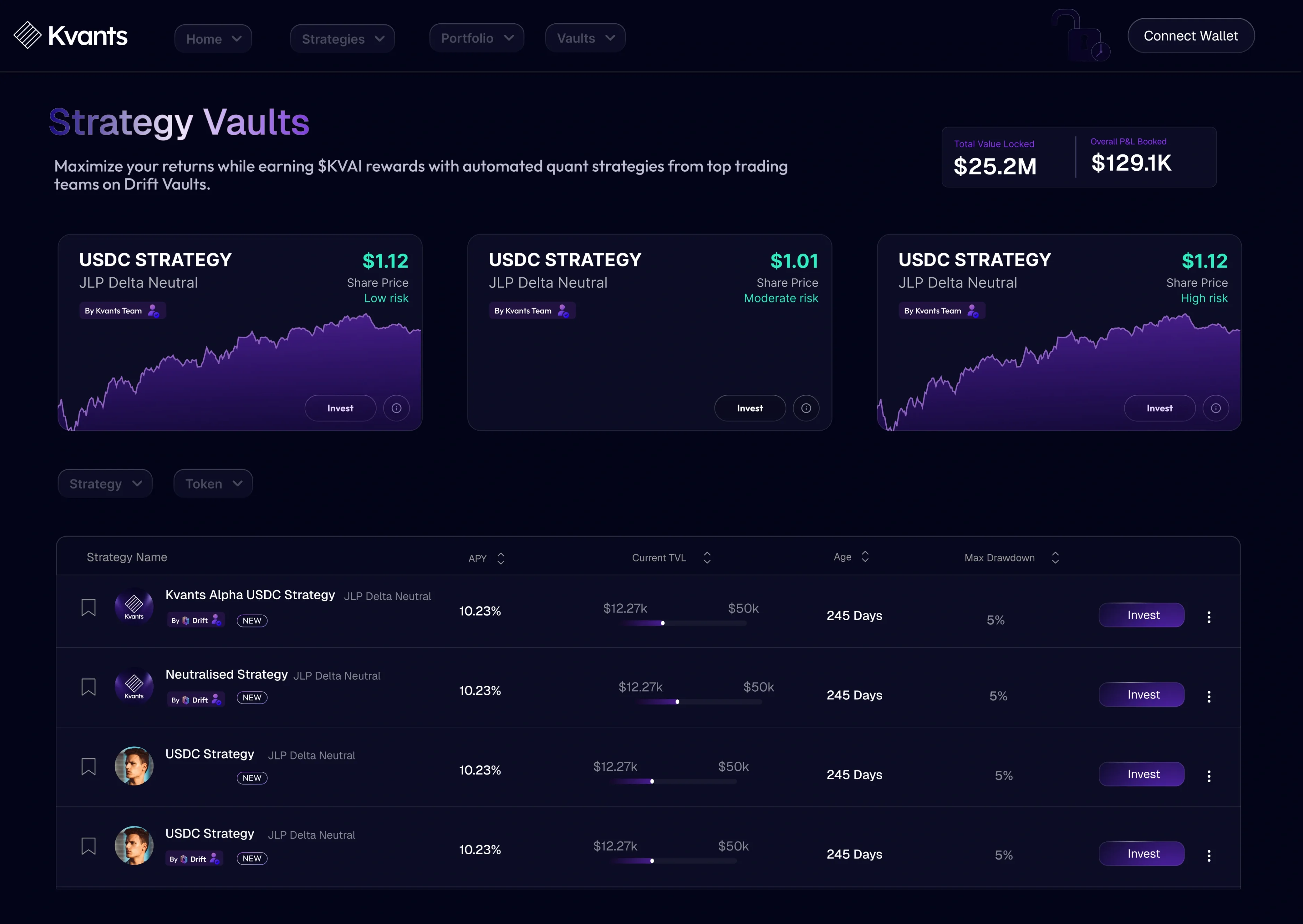
The Kvants landing page: “Strategy Vaults — maximize your returns” with the vault list and its figures, in the product’s night palette.
LandingThe public face: the same night palette as the product, so signing up doesn’t feel like changing sites.
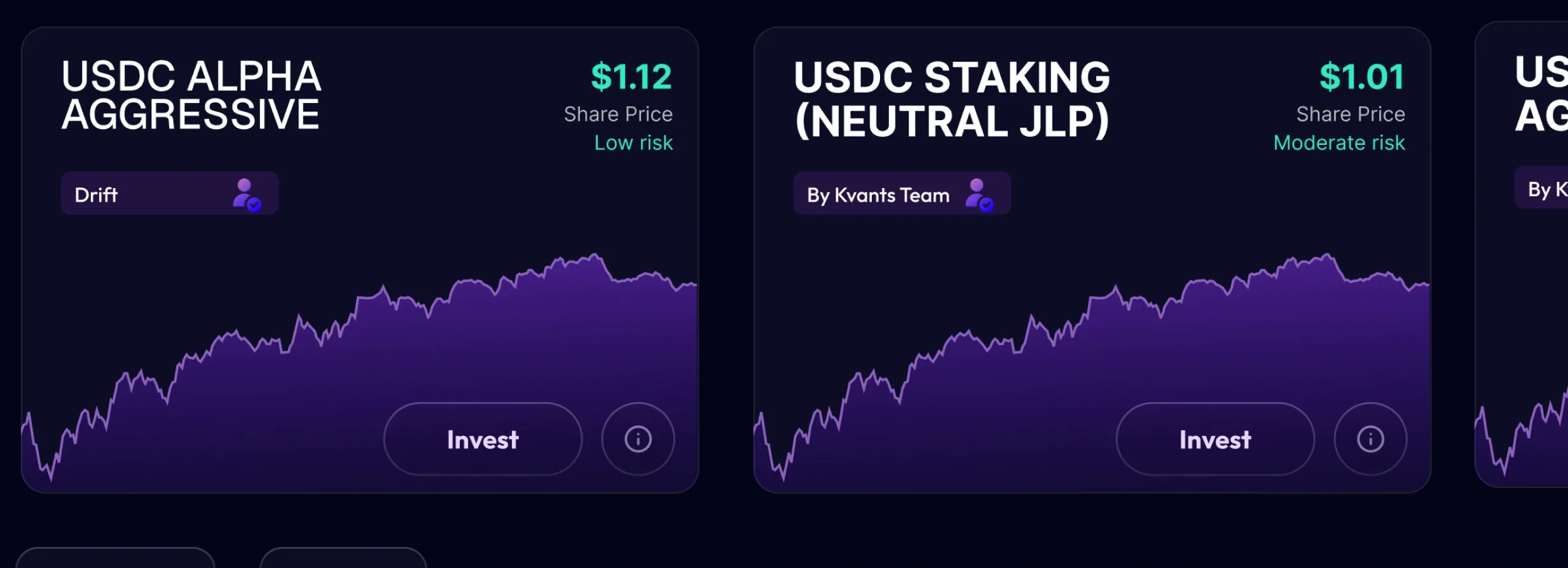
Two vault cards at actual size: USDC Alpha Aggressive and USDC Staking (Neutral JLP), each with share price, a risk word and a chart.
Vault card, 1:1Name, owner, share price and a risk word in one corner — the chart does the rest. Shown at actual size.
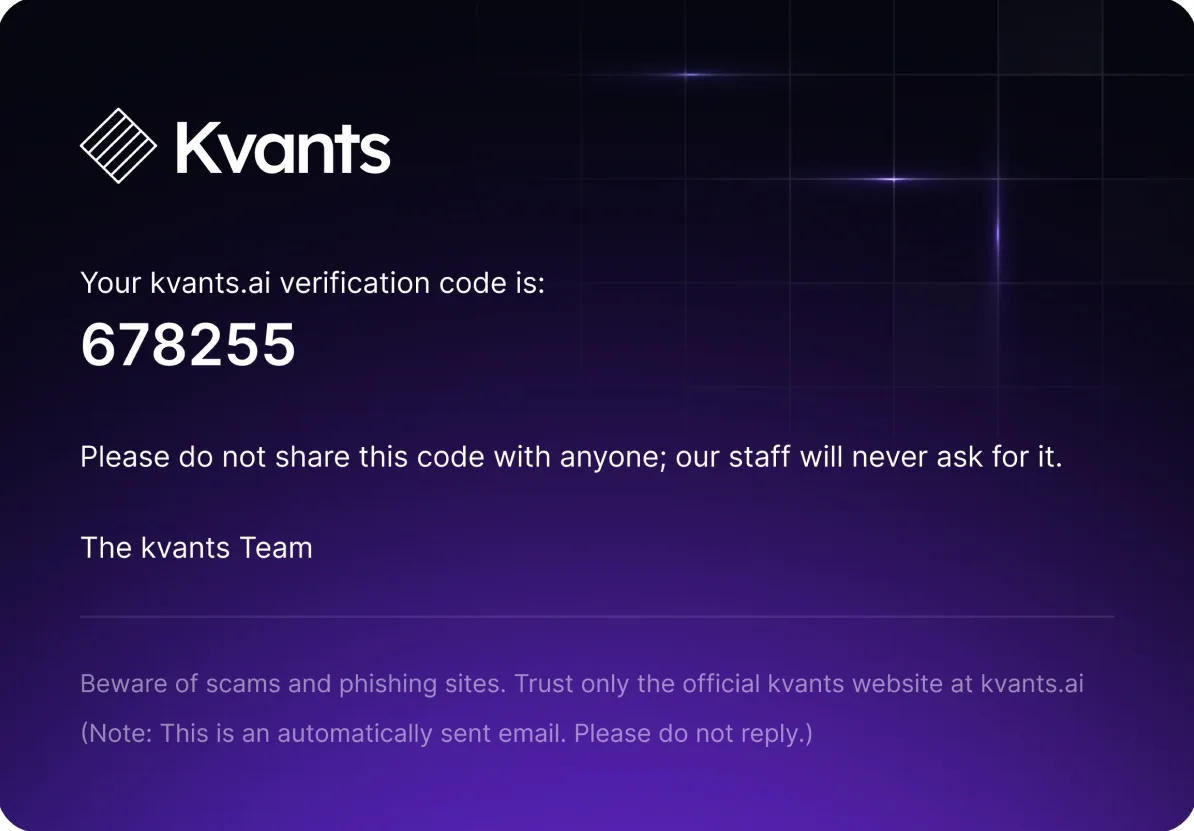
The verification code email: the code, and “Please do not share this code with anyone; our staff will never ask for it.”
EmailThe verification code email carries the same warning as the app: Kvants staff will never ask for it.

09Outcome

What shipped

Live
kvants.ai
Surface
Landing, web app and emails
States
Errors and empty states for every flow
Payments
Card and token staking, one plan

No product metrics were shared for this page, so there are none on it. What can be checked: the product is live.

10Reflection

If I had another two weeks

What I’d test
Whether first-time investors read max drawdown the way it’s meant. It is the most important number on a vault, and the least familiar one.
What I’d measure
Where people drop out of connecting an exchange. API keys are the steepest step in the product.
What I’d change
Bring the redemption period up to the vault card, so it is known before the vault is even opened.

Next step

Let’s build it.

Tell us what you’re launching and when. You’ll talk to the person who builds it.

Replies within 1 business day

Start a brief

30 seconds

Product
Scope

Pages

HomeStartWorkAll casesHow we workProcess & stackAboutFounderContactSend a briefEstimatePrice it in a minutePartnersBring a client, keep 20%

Services

Web3 — dApps, DeFi, RWAPageFintech — trading, investing, walletsPageSaaS & B2B — dashboards, CRMPageWebsites — marketing & launch pagesPage

Work

Kvants — quant investing appCase · FintechPropichain — tokenized real estateCase · Web3Thirdwave — Web3 analyticsCase · Web3

Actions

Message the founder on Telegramt.me/sublom